
As a seasonal treat I have released the Xmas Skin I occasionally use on this blog as an extra skin for my Journalized theme.
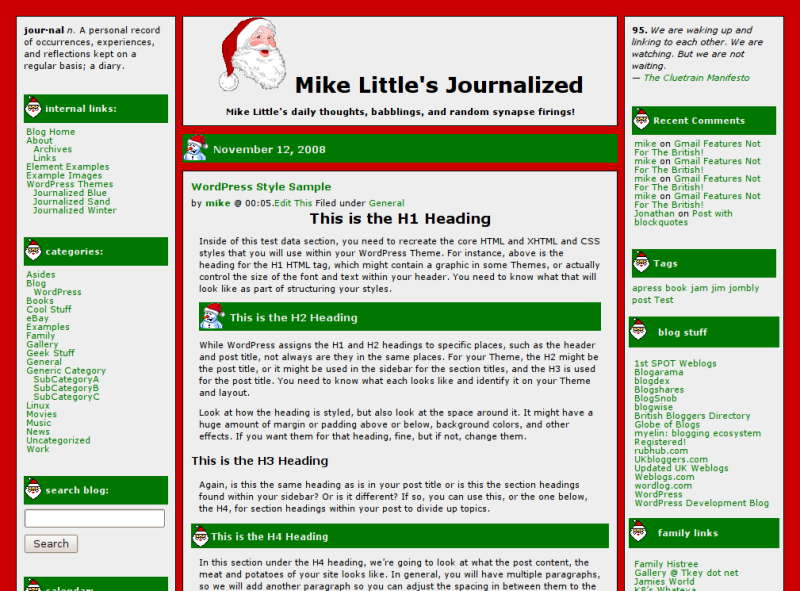
click for a larger image.
You can download the xmas skin here:
xmas-skin-2.7.1.zip.
- Once you have downloaded it. Unzip it, then upload the files to your journalized/skins directory.
- Go to Appearance -> Journalized Options in the admin screen, and select the new skin.
- If you want a picture of Santa to appear along side your blog title, type ‘santa.gif’ into the ‘Header Image’ box and uncheck both ‘Add the image in the background’ and ‘Turn off the blog title’.
- If you want your header to be full width, check that box and set header image height to be 138 pixels (that worked for me)
- Finally save your settings and you are done
I hope you enjoy this bit of seasonal frivolity. 😉
Short link to this post: https://z1.tl/5l


Pingback: WeblogToolsCollection Español » Archivo del Blog » Novedades Temas de WordPress 23/12
Pingback: WordPress Theme Releases for 12/23 | Wordpress Blog NL
Pingback: WordPress Theme Releases for 12/23 | New Port Me
Pingback: Weblog Tools Collection: WordPress Theme Releases for 12/23 » KLIK WAE DOT INFO